Check How to find and use Valentine’s Day filters and lenses on Snapchat
By Sandy
·
·
2 min read

Valentine’s Day is here and just like every other occasion, you may want to share photos and videos with your loved ones
Among others, the most popular method is sharing Snaps on Snapchat where users post images, videos and texts as per their mood and occasion.
Just like Instagram Stories, Snapchat’s AR filters also allow users to change the look and feel of their photos by adding things like caps, hearts, goggles and more. Snapchat has a wide-range of filters available from several categories including love-themed filters specifically designed for Valentine’s Day.
Here's a list of 15 good Instagram and Snapchat filters.
Wondering where to get these filters and use it to post Snaps.
Here’s a step-by-step guide on how to find these filters and use them. Read on.
Pre-requisites:
Working internet connectivity
Latest version of Snapchat app
Steps to find and use Instagram Valentine’s Day filters
1.
 Snapchat
Open Snapchat app
Snapchat2.
It will open on the default camera page
3.
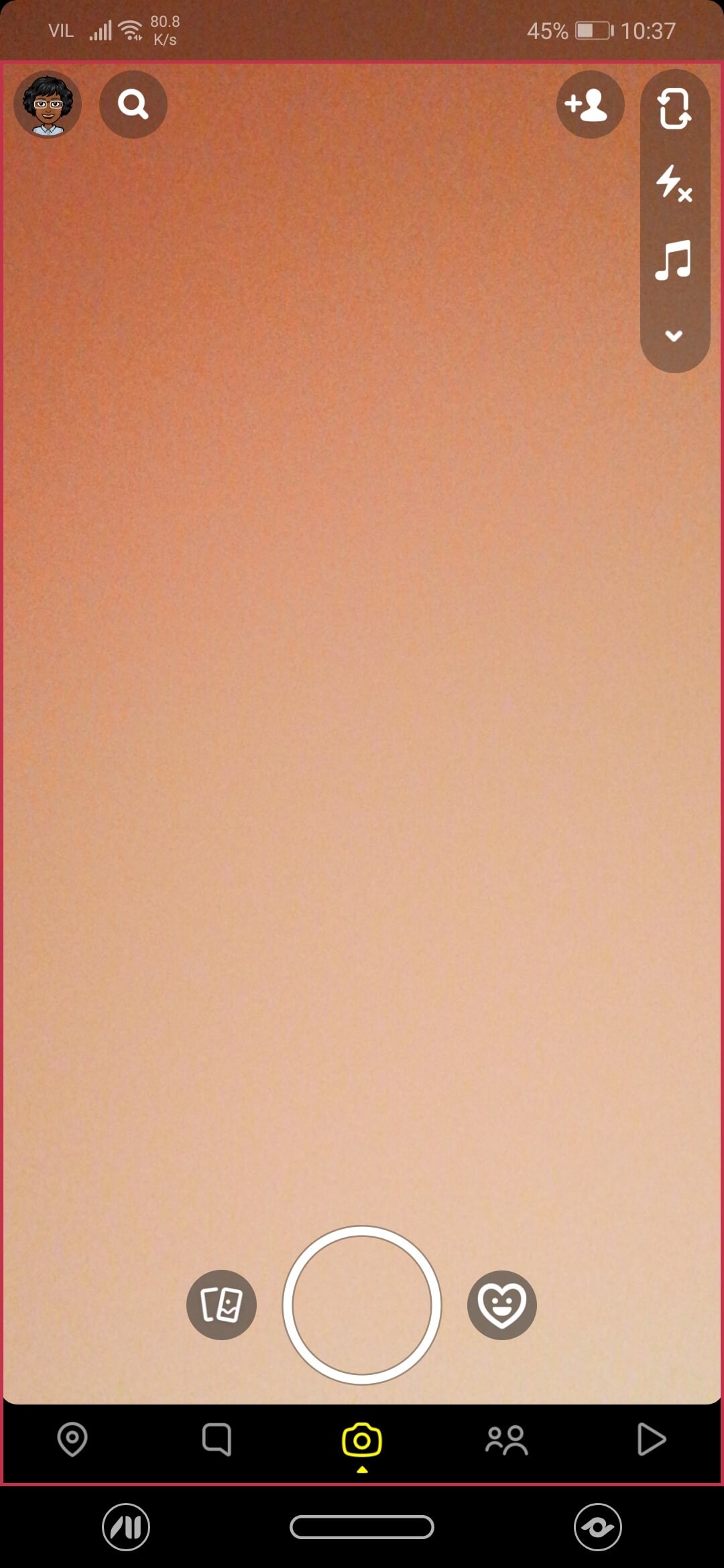
Tap on the ‘Filter’ icon from the right side of the shutter button
4.
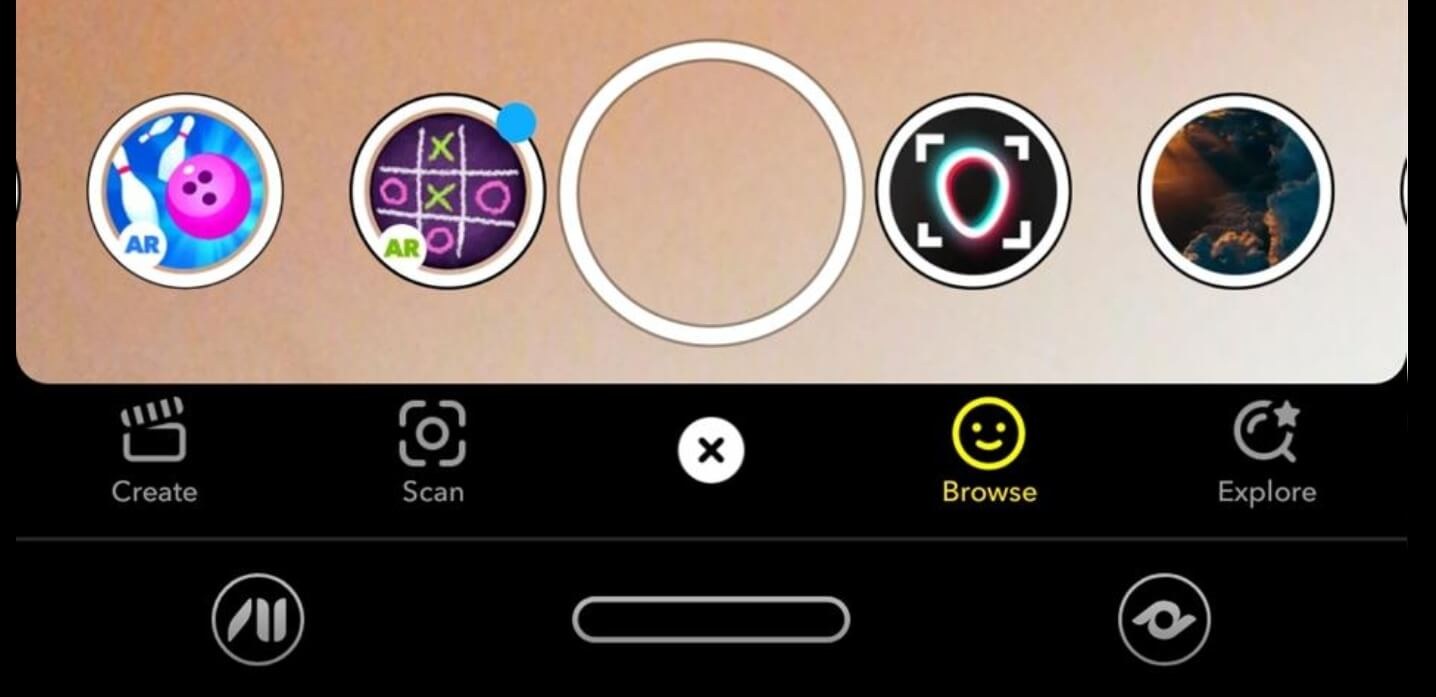
Tap on Explore button from bottom right corner
5.
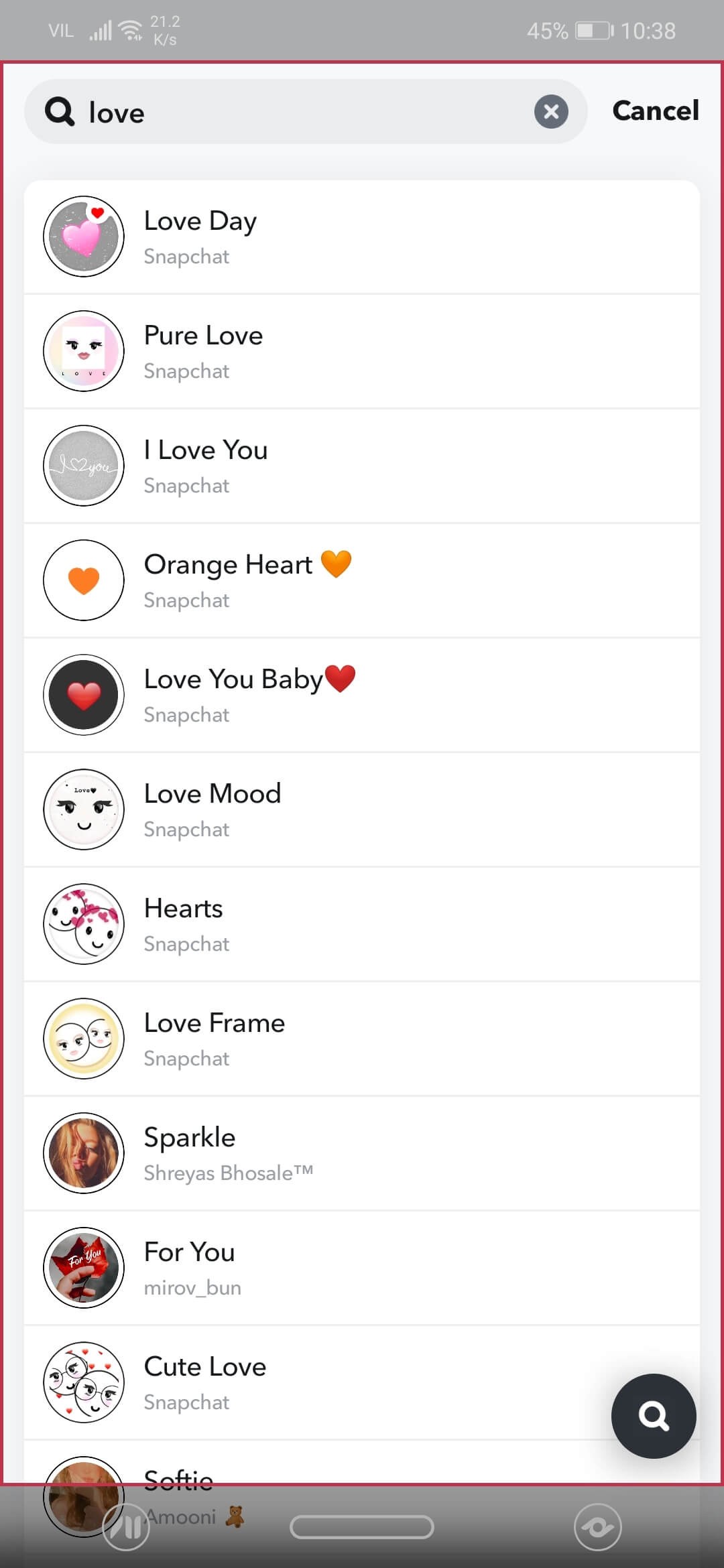
Scroll through the lenses through various categories or tap on Search icon at the top and search Valentine’s Day or Love keyword
6.